Tray Selector is an indispensible utility in any office - It saves hours of time for lawyers and legal secretaries
📅 ✍️ By Tim Kempster

The Legal Office Printing Challenge
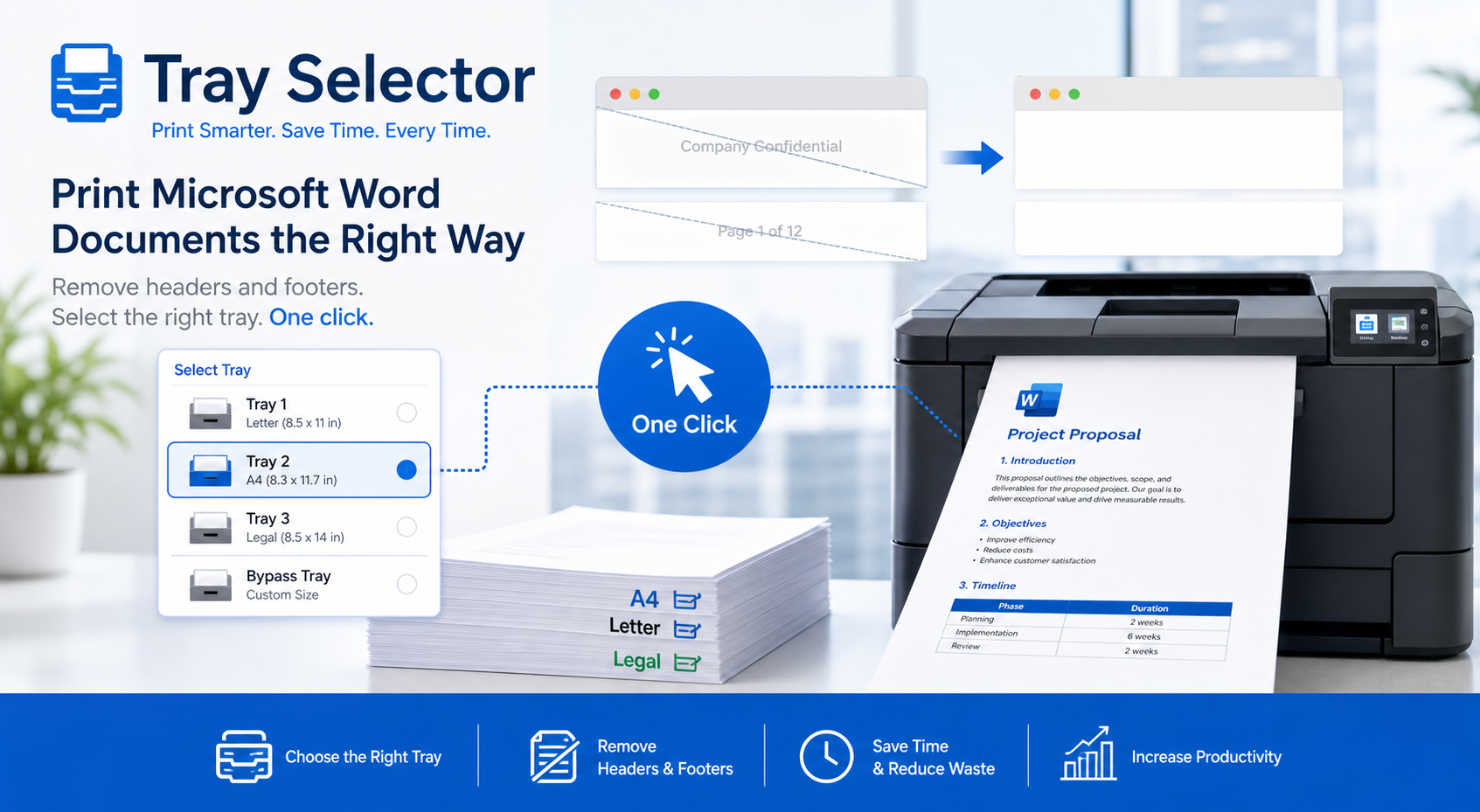
Tray Selector is a useful printer management utility which gives you added flexibility when printing with Microsoft Word. While it's beneficial across many industries, it has become an indispensable tool in legal offices worldwide, where document printing requirements are particularly complex and demanding.
Legal secretaries and lawyers face unique printing challenges that most office workers never encounter. A single case might require printing court filings on specific paper, client correspondence on letterhead, internal memos on plain paper, exhibits on different colored stock, and backing pages on colored paper - all from the same document or set of documents throughout the day.
Why Legal Offices Need Tray Selector
The legal profession has specific document formatting requirements that make traditional printing methods inadequate:
- Court filing requirements: Specific paper types, sizes, and formatting mandated by courts
- Professional presentation: Client-facing documents must use firm letterhead and premium paper
- Document organization: Different paper colors for different sections or exhibits
- Confidentiality marking: Watermarks indicating document sensitivity
- Copy distribution: Multiple copies for different recipients with varied formatting
- Time sensitivity: Legal deadlines mean no room for printing errors or delays
Time Savings That Matter
Time is literally money in legal offices. Billable hours are the lifeblood of law firms, and non-billable administrative time - including managing complex printing tasks - represents pure cost. Tray Selector saves hours of time for lawyers and legal secretaries by eliminating repetitive printing configuration tasks.
Consider a typical legal secretary's day:
- Printing 20 client letters on letterhead (first page) and plain paper (remaining pages)
- Printing 10 court filings with specific formatting requirements
- Printing 5 contracts with exhibits on different paper types
- Printing 15 internal documents in various formats
Without Tray Selector, each of these requires manually configuring printer settings - selecting printers, choosing trays, setting page ranges, and configuring other options. Even if this only takes 30 seconds per document, that's 25 minutes per day spent on printer configuration alone. Over a year, that's over 100 hours of wasted time per person!
With Tray Selector, each of these becomes a single button click. Those 25 minutes per day are freed up for billable work or other productive activities.
Real-World Legal Office Scenarios
Scenario 1: Client Correspondence
A legal secretary needs to send letters to 30 clients. Each letter must have:
- First page on firm letterhead
- Subsequent pages on matching plain paper
- Professional quality output
Without Tray Selector: For each letter, access print settings, ensure Tray 1 is selected for page 1, Tray 2 for remaining pages, verify printer selection, print, repeat 30 times.
With Tray Selector: Click the "Client Letter" button 30 times. Done. Settings are always correct.
Scenario 2: Court Filing
A lawyer needs to file a motion with the court. Requirements:
- Cover page on blue paper
- Motion text on white legal-sized paper
- Exhibits on white letter-sized paper
- Backing page on blue paper
- Three copies needed
Without Tray Selector: Print cover page separately, change paper size and print motion, change paper size again and print exhibits, change back for backing page, repeat three times. Pray you don't make a mistake because you're on a deadline.
With Tray Selector: Click the "Court Motion" button. All pages automatically route to correct trays with correct settings. Three complete sets print automatically.
Scenario 3: Contract Package
A paralegal assembles a contract package:
- Cover letter on letterhead
- Contract on premium white paper, duplex
- Exhibits on standard paper, single-sided
- Signature page on premium paper
Without Tray Selector: Multiple print jobs, changing settings between each section, ensuring duplex is on for some parts and off for others, verifying tray selection for different paper quality.
With Tray Selector: Click the "Contract Package" button. Everything prints correctly, automatically.
Features Particularly Valuable for Legal Offices
Flexibility for Different Document Types
Tray Selector addresses the fundamental problem that legal secretaries and lawyers face: printing identical or similar documents on different trays and with different paper types without manual macro creation or tedious manual intervention. The software integrates seamlessly into Microsoft Word's interface, providing one-click access to complex printing configurations.
Universal Printer Compatibility
Law firms often have multiple printers - high-quality color printers for client presentations, fast black-and-white printers for drafts, and specialized printers for legal-sized documents. Tray Selector works with all printers, allowing you to create buttons that target specific printers for specific document types.
Duplex Printing Support
Environmental concerns and cost savings make duplex printing important, but not all documents should be duplex. Legal filings often have specific requirements about single or double-sided printing. Tray Selector makes it easy to create buttons for both, eliminating confusion and errors.
Wide Word Version Support
Law firms don't always run the latest software. Tray Selector supports Microsoft Word versions from 2000 onwards, working with both older and newer versions of Windows. This means firms can benefit from Tray Selector regardless of their IT infrastructure age.
Mail Merge, Envelopes, and Labels
Legal offices frequently use mail merges for client mailings, envelopes for correspondence, and labels for document organization. Tray Selector works seamlessly with all of these Word features, applying your configured settings regardless of document type.
The Configuration Process
Setting up Tray Selector for a legal office is straightforward:
- Identify common printing tasks: What documents do you print repeatedly?
- Configure buttons: Set up a button for each common task with the exact settings needed
- Name clearly: Use descriptive names like "Court Filing - Blue Cover" or "Client Letter - Letterhead"
- Test thoroughly: Verify each button produces correct results
- Share settings: Export button configurations and share them with your team
- Train staff: Show everyone which button to use for which document type
Typical Button Setup for a Law Firm
Here's a recommended starting configuration for a law firm:
- Button 1: "Client Letter" - First page letterhead, remaining pages plain
- Button 2: "Internal Memo" - All pages plain paper, duplex
- Button 3: "Court Filing" - Legal-sized paper, specific tray
- Button 4: "Draft Copy" - Fast printer, plain paper, single-sided
- Button 5: "Contract" - Premium paper, duplex
- Button 6: "Exhibit Package" - Multiple trays for different exhibit types
- Button 7: "Confidential" - With confidential watermark
- Button 8: "File Copy" - Colored paper for file retention
Return on Investment
For a law firm, the ROI calculation is straightforward:
Cost: Tray Selector subscription at $4/user/month = $48/user/year
Savings:
- Time savings: 25 minutes/day × 220 working days = 91 hours/year
- At a legal secretary rate of $30/hour: $2,730 in time savings
- Paper waste reduction: Estimated $200-500/year from fewer reprints
- Reduced stress and improved accuracy: Priceless
Net benefit: Over $2,600 per user per year, with a 50:1 return on investment!
For a firm with 10 legal secretaries, that's over $26,000 in annual time savings alone.
Why Hundreds of Law Firms Choose Tray Selector
Tray Selector is used in law firms all over the world. From small practices with just a few users to large firms with several hundred lawyers, legal professionals are finding that this print software eases their many printing hassles. The reasons are clear:
- Time savings: Hours per person per year freed up for billable work
- Error reduction: No more accidentally printing on the wrong paper or missing pages
- Professional results: Documents always look perfect, enhancing firm reputation
- Reduced stress: Staff no longer worry about printer configuration
- Easy training: New staff learn quickly - just click the right button
- Consistency: All staff produce documents the same way
- Deadline compliance: Faster printing means better deadline management
Getting Started in Your Legal Office
Implementing Tray Selector in your law firm is simple:
- Start with a trial: Download the free 7-day trial and test it with your most common documents
- Configure for your firm: Set up buttons matching your firm's specific needs
- Train one person: Have one tech-savvy staff member learn the configuration
- Share configurations: Export and share button settings with all staff
- Roll out gradually: Start with one department, then expand
- Gather feedback: Adjust button configurations based on actual use
Support for Legal Offices
We understand that law firms have specific needs and often tight deadlines. Our support team has extensive experience working with legal offices and can help you:
- Configure buttons for common legal document types
- Set up configurations that comply with court requirements
- Troubleshoot printer-specific issues
- Train your staff on effective use
- Optimize your setup for maximum efficiency
The Bottom Line for Legal Offices
Tray Selector has become an indispensable utility in legal offices because it solves real problems that legal professionals face every day. The combination of time savings, error reduction, and stress relief makes it a valuable investment for any law firm, regardless of size.
When billable hours are what matters, and document accuracy can affect case outcomes, having reliable, one-click printing isn't a luxury - it's a necessity. That's why hundreds of law firms worldwide trust Tray Selector for their printing needs.
Ready to save hours of time in your legal office? Contact us to discuss your specific needs, or download the free trial and experience the difference yourself. Your legal secretaries and lawyers will thank you.